Follow data from local files to outbound transfers. Teleport links exports, staging and
uploads to the recorded activity, so you can see what moved and what still needs
checking.
Example shown: data staged in a recorded SSH session.
A staging finding that distinguishes preparation from a completed transfer.
See how the data was staged.
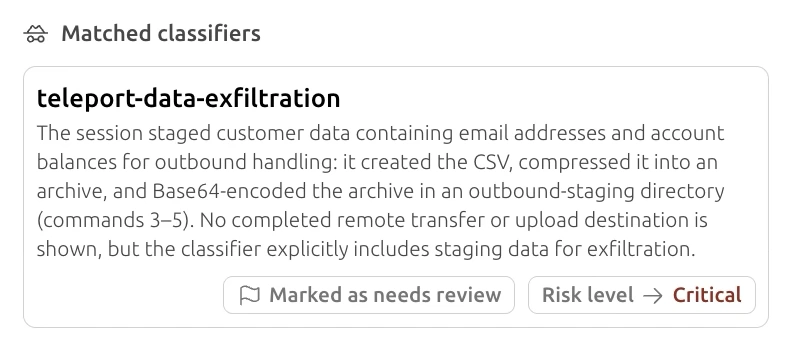
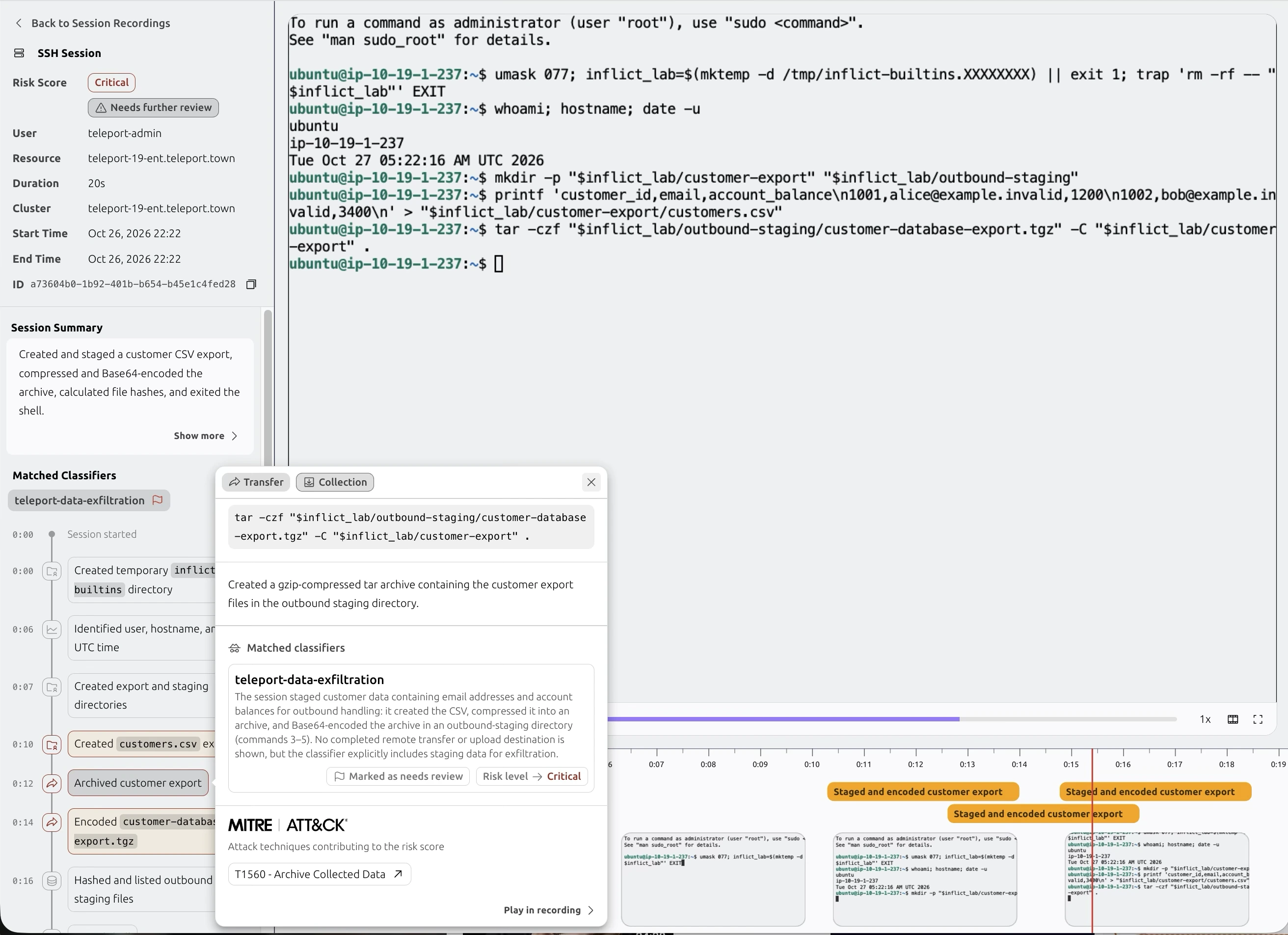
This SSH session created a customer CSV, compressed it and Base64-encoded the archive
in an outbound staging directory. The finding links those actions to the session
record.
0:10
A CSV is created
The terminal writes sample customer IDs, email addresses and account balances to
customers.csv.
0:12
The export is archived
A tar command compresses the files into
customer-database-export.tgz in outbound-staging.
0:14
The archive is encoded
The archive is Base64-encoded. At 0:16, the timeline shows file hashes and a
listing of the staged files.
No completed remote transfer or upload destination is shown. This match flags staging;
it does not establish that data left the host. Check the task, any later transfer and
its authorization.
The recorded activity explains why the session was flagged.
View the full SSH session screenshot
The original session view, including the terminal and staging events.
See what the classifier looks for.
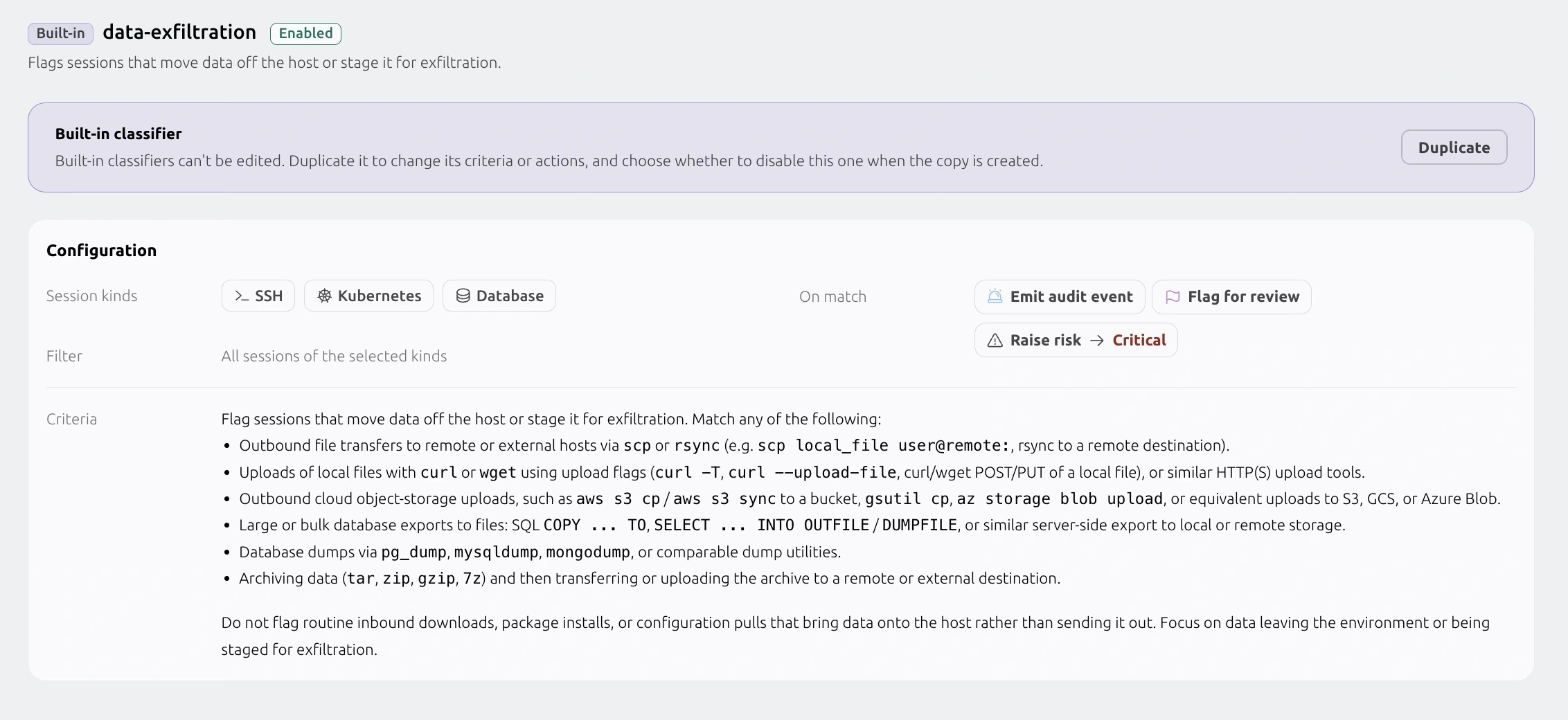
The built-in data-exfiltration classifier reviews SSH, Kubernetes and database sessions
for data leaving the host or being staged for transfer. Duplicate it to adapt the
criteria and choose what happens on a match.
Session kinds, criteria and match actions in one configuration.
Scroll the screenshot horizontally to inspect it.
Data exfiltration / movement
SSH, Kubernetes and databases
Looks for outbound file transfers, cloud uploads, database exports and data staged for
transfer. Inbound downloads, package installs and configuration pulls are excluded.
View detailed criteria
Identify data leaving a host or being staged for an outbound transfer.
Outbound file transfers to remote hosts with scp or rsync.
Uploads of local files over HTTP, including curl -T, --upload-file, or POST / PUT
requests carrying local data.
Uploads to cloud object storage, including aws s3 cp / sync, gsutil cp and az
storage blob upload.
Bulk SQL exports to files, including COPY ... TO and SELECT ... INTO OUTFILE /
DUMPFILE.
Database dumps using pg_dump, mysqldump, mongodump or similar utilities.
Archiving data with tar, zip, gzip or 7z, followed by a transfer or upload to
another host.
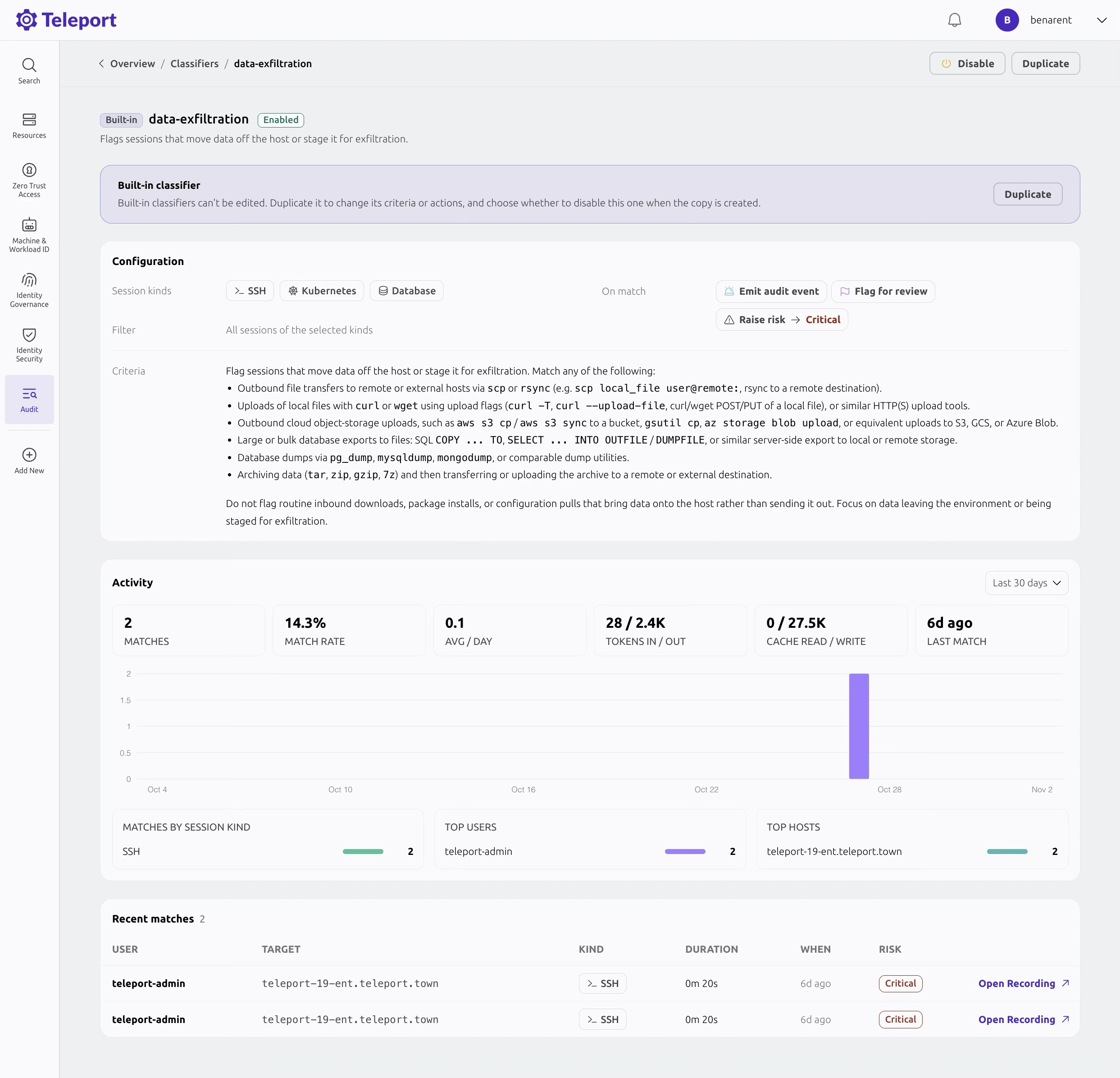
View classifier activity and recent matchesRecent matches link back to the recordings that need review.
Turn the match into a review.
Open the original recording, establish the context and document the outcome.
01
Follow the data
Connect the source data to the CSV, archive and encoded file. Check what the recording
establishes before concluding that data left the host.
02
Check for a transfer
Look for a later upload, transfer result or receiving host. If a destination is
recorded, identify its owner and confirm whether it was approved.
03
Assess the movement
Confirm the data sensitivity and task authorization. Record approved test or backup
activity, or route unexpected staging or transfers for review with the evidence.
Explore session capture, classification and evidence review for your environment. Contact
us about classifier availability and deployment requirements.
Launching November 9. Join the waitlist for launch updates.
Join the waitlist
Get early access updates and launch announcements for Teleport Beams.