Find destructive commands and inspect their targets and results. Teleport links file
wiping, database deletion and resource removal to the recorded activity.
Example shown: synthetic files deleted in a recorded SSH session.
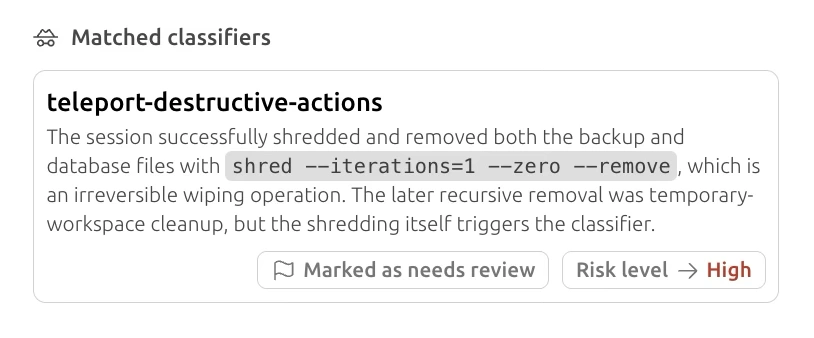
A destructive-actions finding, linked to the recorded file removal.
See what was overwritten and removed.
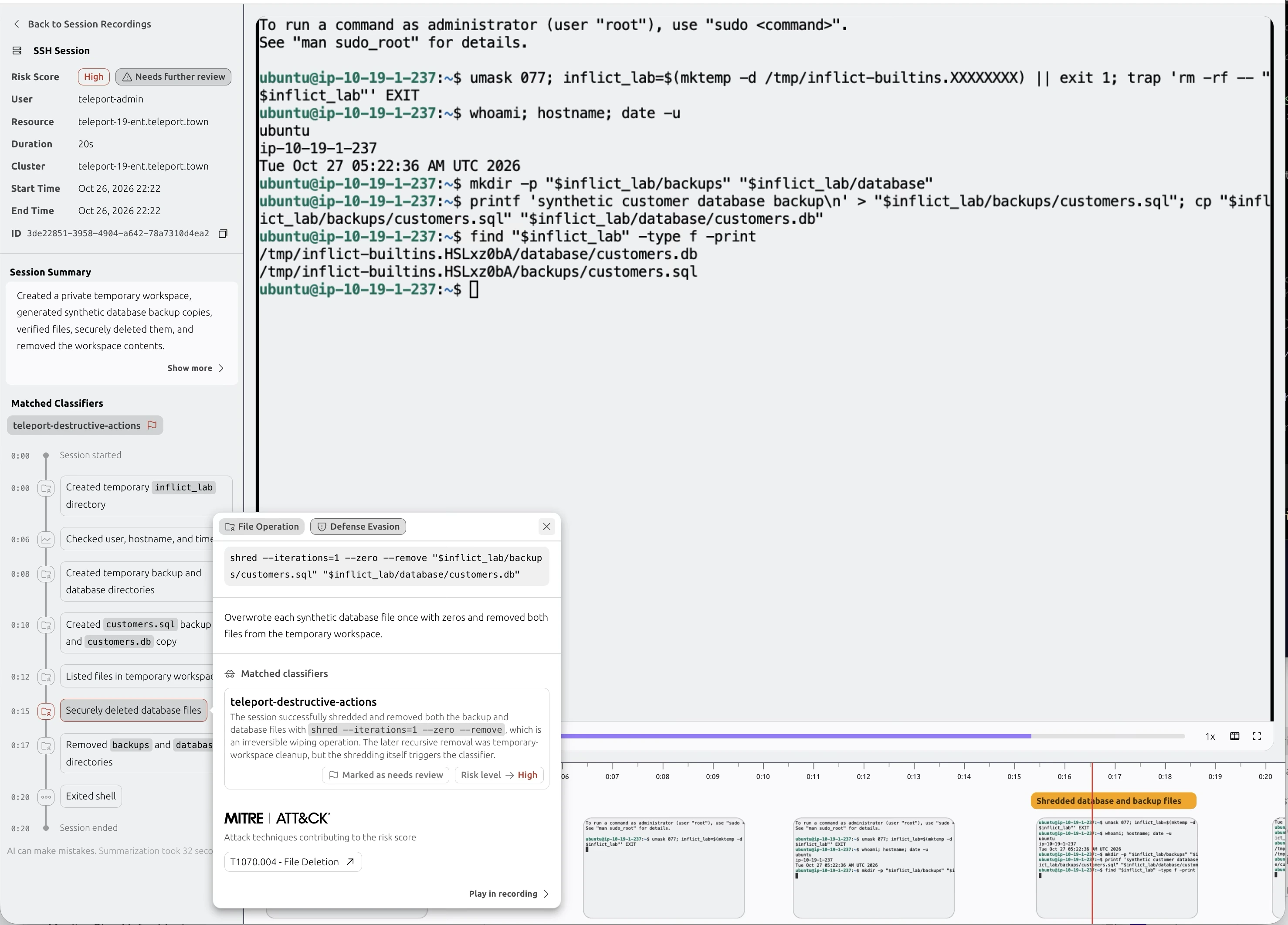
This SSH session created two synthetic database files, listed them and then ran a
command to overwrite and remove both. The selected event connects the command, its
targets and the classifier finding.
0:10
Two files are created
The session writes a synthetic backup to backups/customers.sql and
copies it to database/customers.db.
0:15
The files are overwritten and removed
The selected shred command targets both files. The finding cites
the overwrite and removal operation as the reason for review.
0:17
The workspace is cleaned up
The timeline shows the temporary backups and
database directories being removed before the session exits.
The example uses synthetic files in a temporary workspace. The finding flags
shredding; the later directory removal is treated as cleanup. Review the task and
recovery context when assessing an operation like this.
The recorded activity explains why the session was flagged.
View the full SSH session screenshot
The original session view, including the terminal, deletion event and cleanup.
See what the classifier looks for.
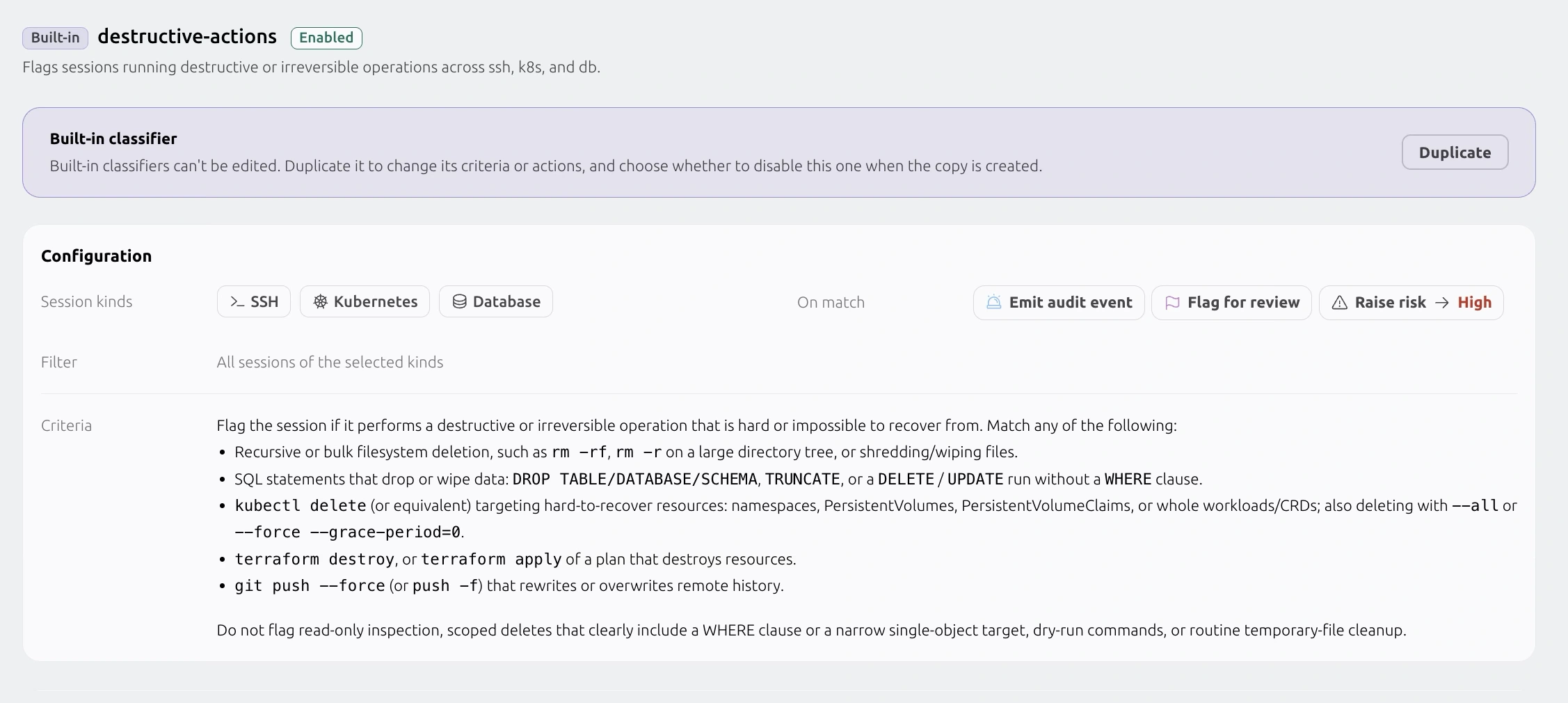
The built-in destructive-actions classifier reviews SSH, Kubernetes and database
sessions for operations that delete, wipe or overwrite data and resources. Duplicate it
to adapt the criteria and choose what happens on a match.
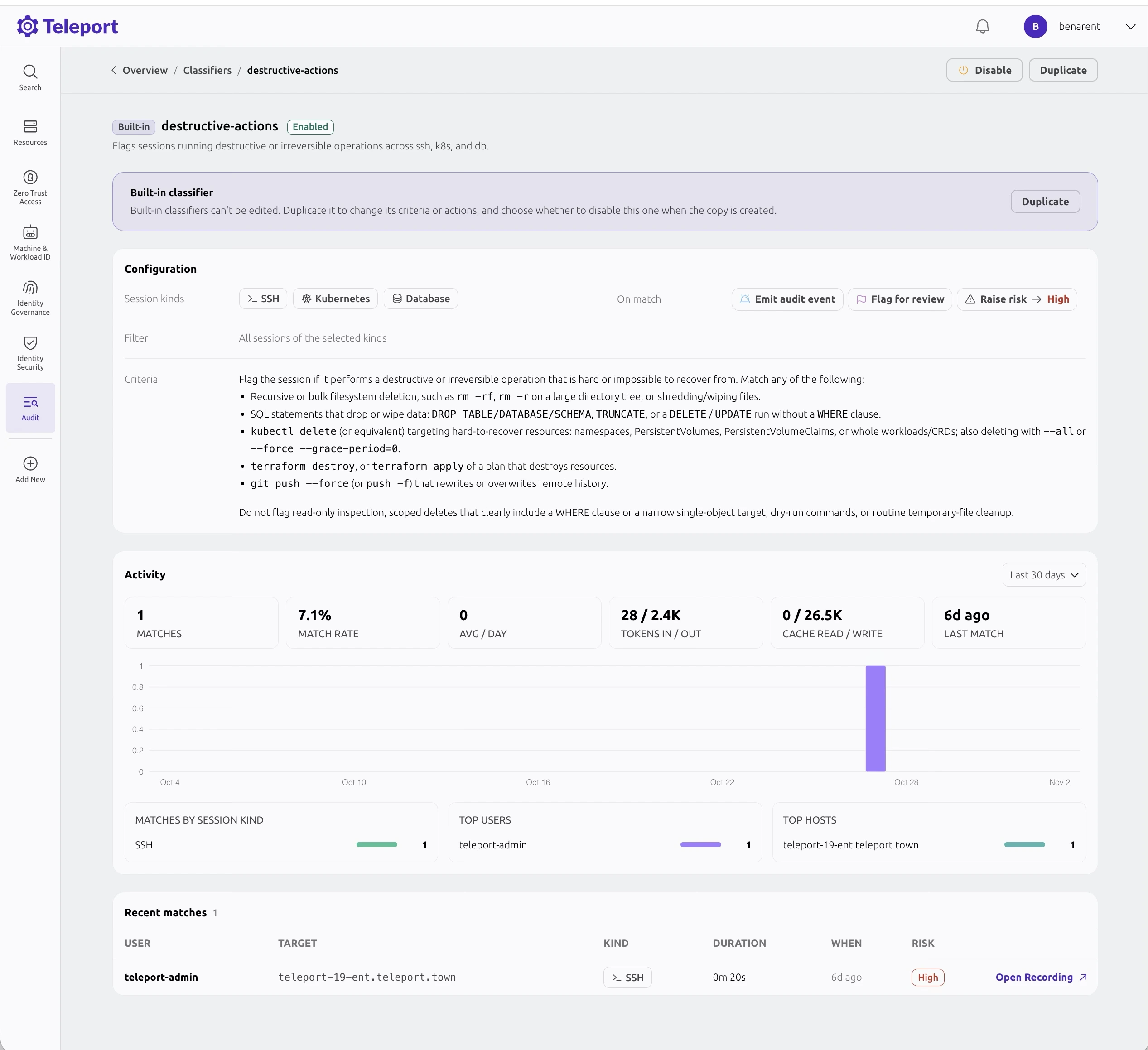
Session kinds, criteria and match actions in one configuration.
Scroll the screenshot horizontally to inspect it.
Destructive or irreversible actions
SSH, Kubernetes and databases
Looks for bulk deletion, file wiping, destructive database changes, resource removal
and remote history rewrites. Read-only inspection, dry runs, routine temporary-file
cleanup and clearly scoped deletes are excluded.
View detailed criteria
Identify operations that delete data, remove resources or make changes that are hard
to recover from.
Recursive or bulk filesystem deletion, including rm -rf, or shredding
and wiping files.
SQL DROP or TRUNCATE, or DELETE /
UPDATE without a WHERE clause.
Deletion of Kubernetes namespaces, persistent storage or whole workloads,
including broad or forced deletions.
terraform destroy or applying a plan that destroys resources.
Force pushes that rewrite remote history.
View classifier activity and recent matchesRecent matches link back to the recordings that need review.
Turn the match into a review.
Open the original recording, establish the context and document the outcome.
01
Confirm execution and scope
Read the full command and response. Separate a proposed plan or dry run from an
executed operation, and identify the affected environment.
02
Establish impact
Check the target with its owner, review dependent workloads and confirm the actual
recovery options. Do not infer irreversibility from a command name alone.
03
Record the decision
Link the approved change or escalate the unexpected operation. Capture the evidence
and tune exclusions for routine cleanup without hiding production risk.
Explore session capture, classification and evidence review for your environment. Contact
us about classifier availability and deployment requirements.
Launching November 9. Join the waitlist for launch updates.
Join the waitlist
Get early access updates and launch announcements for Teleport Beams.